Comparisons
PR Lens vs writing a Mermaid diagram in the PR description yourself
Mermaid in a pull request description is free, native to GitHub and better than nothing. Here is what it costs you, what the PR description skills fix, and where a generated render goes further.

Adding a Mermaid diagram to your pull request description is a good habit and I would rather review a PR that has one. GitHub has rendered Mermaid natively since February 2022, and the documentation says diagram rendering is available in GitHub Issues, GitHub Discussions, pull requests, wikis and Markdown files, so there is nothing to install and no bot to approve. It costs you ten minutes and a code fence. The limit is what those ten minutes can produce. A Mermaid diagram in the description records what the author believed the change was.
That is worth having. It is a different artefact from a diagram derived from the change itself, and the difference shows up about a week later.
What a Mermaid diagram in the description gives you
Mermaid describes itself as "a JavaScript based diagramming and charting tool that renders Markdown-inspired text definitions to create and modify diagrams dynamically", and says its main purpose "is to help documentation catch up with development". That is an accurate description of what it is excellent at.
In a pull request description, you get text that lives in git, so it diffs and reviews like anything else. A reviewer who thinks your boxes are wrong can edit them in the same textarea. There is no vendor, no key, no install, and no bot comment to explain to your security team. GitHub's 2022 announcement describes the rendering as client side, with the diagram drawn in a sandboxed iframe pointing at its Viewscreen service, so the diagram is not baked into the page as an image you have to host anywhere.
For a small change, this is genuinely enough:
flowchart LR
  signup["POST /signup"] --> queue["email-queue"]
  queue --> welcome["welcome-service"]
  welcome --> log["email log"]
Four nodes and one story, written in about ten minutes. If your change is that size and you keep the habit, you do not need anything else.
The problem with writing the diagram by hand
The diagram comes out of your head. You write it from what you meant to change, not from what the branch contains, and nothing in the pipeline compares the two. I have shipped a diagram showing a worker that I deleted in the last commit before opening the pull request. Nobody noticed, which is the part that bothers me.
It is written once. Push three more commits and the diagram in the description is now describing an earlier version of your own branch. Updating it is a manual edit, which means it happens on the pull requests you care about and not the other ones.
It is optional and asymmetric. Every reviewer benefits, only the author pays, and the author is the one person on the pull request who already understands the change. That trade quietly loses to a deadline every time.
And it draws what you chose to draw. The nodes you forgot are not in the picture, and a reviewer cannot tell the difference between a component you left out because it was irrelevant and one you left out because you forgot it touched anything.
The layout is also somebody else's. Mermaid credits d3 and dagre-d3 for its graphical layout, and the position of every box is computed from the order you happened to declare them in. That is a good trade for documentation, where you want to write text and get a picture. It is a worse one when you add a node in the second version of a diagram and the reviewer has to find their bearings again on a graph that has rearranged itself.
The PR description skills that write the Mermaid for you
A category of Agent Skills now writes the description for you. juandarn/pr-description-skill is MIT licensed and generates "comprehensive, visual pull request descriptions with Mermaid diagrams", analysing commits and diffs, categorising changes and putting the result in the description. It runs in Claude Code, OpenCode, Cursor, Gemini CLI, GitHub Copilot and anything else that speaks the Agent Skills standard. There are several similar skills, most of them MIT.
These are a real improvement and I would take one over nothing. The agent has the diff in context anyway, so the diagram it writes is derived from the change rather than from memory, and the cost to the author drops to a slash command.
What they do not change is the artefact. It is still Mermaid, so it is still a layout that dagre computed from the order you happened to declare your nodes in. It is still in the description, so it is still frozen at the moment it was written unless someone re-runs the skill. And it still cannot say what the change did to each component, because a Mermaid flowchart has no idea which of those boxes is new.
You can colour nodes with classDef, of course. Then you own the convention, you own applying it correctly, and you own explaining it to every reviewer who has not seen it before.
What PR Lens does instead
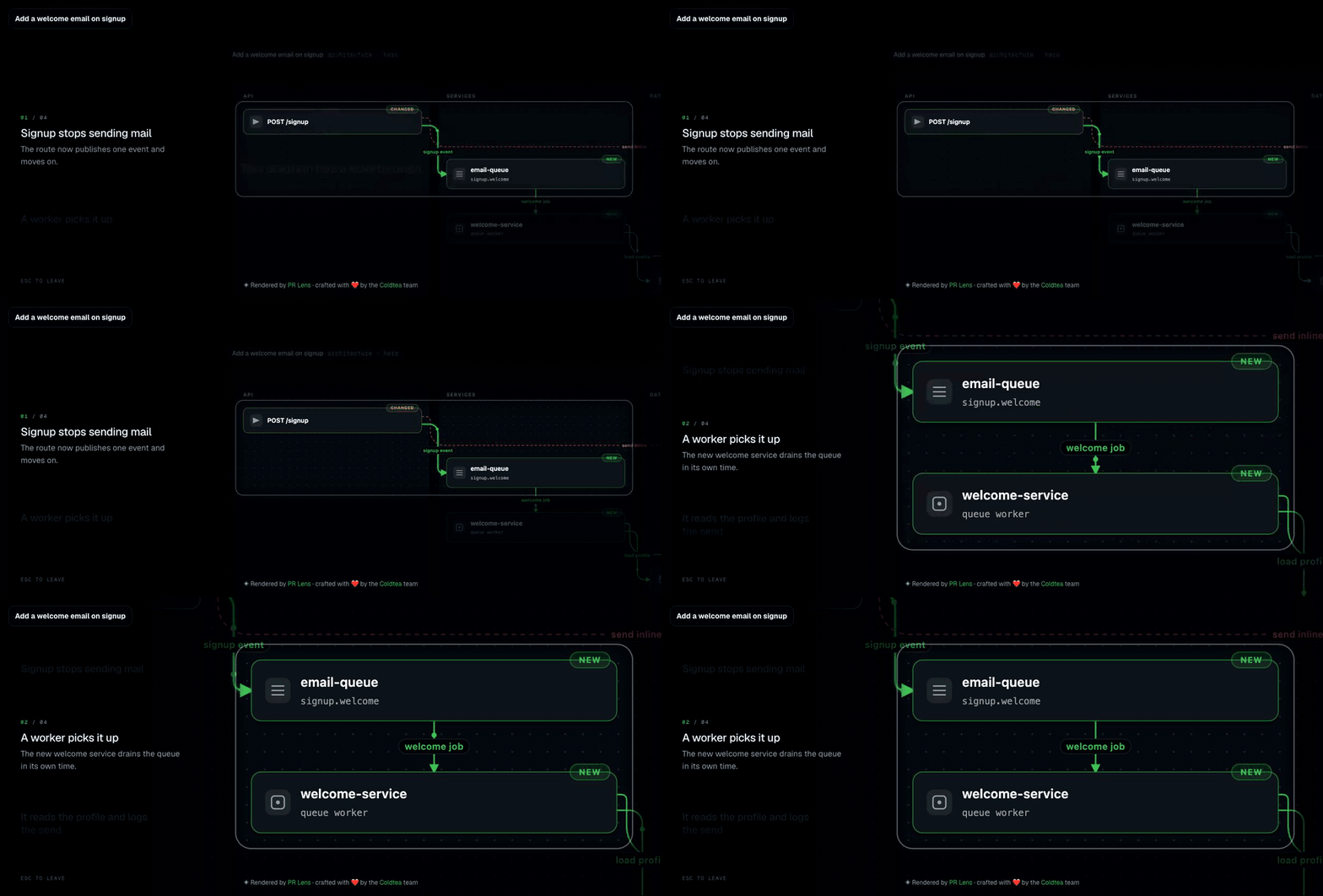
PR Lens takes the same diff, plus the system around it, and writes a typed JSON graph document: lanes, nodes, edges, and the delta on each one. A renderer with no dependencies beyond that schema draws it. The model writes the document and never draws the picture, which is why the same document produces the same bytes on a CI runner with no fonts installed as it does on my laptop.
Four things fall out of that which a description diagram does not have:
The delta comes out of the data. Green is new, amber is changed, red is gone, and a retired component is struck through rather than deleted, so a reviewer can see what left. The parts of the system the pull request did not touch stay on the page, which is the whole point: you build a model of the system rather than a model of the patch.
The data-flow lens animates. One dot crosses one arrow at a time, in the order the steps happen, and it plays inside a GitHub comment because the output is SVG with SMIL and no JavaScript in it.
It lives in its own comment. Exactly one comment per pull request, rewritten in place on every push, so the diagram at the top of the page is always the diagram of the current head. Nobody has to remember to update anything.
And it links out to a canvas where the same diagrams are full size with pan, zoom and a theme, and where pressing play walks the change one step at a time, dimming everything else and saying in one line what happened there.
Should I use Mermaid or PR Lens?
I still write Mermaid, in design docs and READMEs, where the diagram states a decision rather than describing a change under review. That is the job Mermaid's own documentation says it is for, and it is very good at it. The longer argument for keeping those two jobs apart is in why Mermaid is the wrong tool for code review.
For the pull request itself, the question I would ask is who maintains the picture. If it is you, by hand, on every push, then a hand-written diagram is fine and free, and you should carry on. If the honest answer is that it gets written once on the pull requests you feel guilty about, then you want something derived, because the derived one is right on the boring pull requests too.
If you would rather see the change before you open the pull request at all, the CLI and the agent skill draw it locally from your branch, which is the subject of diagram the change before you open the pull request. And for where all of this sits next to the finders and the commenters, see AI code review tools grouped by what they actually do.
Questions people ask
Should I put a Mermaid diagram in my pull request description?
- Yes, if you are going to keep it accurate. GitHub renders Mermaid in issues, discussions, pull requests, wikis and Markdown files, so it costs you nothing to add and reviewers can edit it. The catch is that you write it by hand from what you think you changed, and nothing checks it against the diff.
Does GitHub render Mermaid in pull request descriptions?
- Yes. GitHub's documentation says diagram rendering is available in GitHub Issues, GitHub Discussions, pull requests, wikis and Markdown files. GitHub's 2022 announcement explains that the diagram is drawn client side inside a sandboxed iframe pointing at its Viewscreen service.
Is there a skill that writes the Mermaid diagram for me?
- Several. juandarn/pr-description-skill is an MIT-licensed Agent Skill that generates pull request descriptions with Mermaid diagrams and works in Claude Code, OpenCode, Cursor, Gemini CLI, GitHub Copilot and other Agent Skills compatible tools. It removes the typing, though the output is still Mermaid, still in the description, and still written once.
How is PR Lens different from a Mermaid diagram in the description?
- PR Lens derives the diagram from the diff and the system around it rather than from the author's memory, colours it by what the change did to each component, animates the data flow, and redraws it on every push. It posts as its own comment rather than living in the description, so it updates without anyone editing anything.
Sources
Keep reading
Turn it on
Add PR Lens to GitHub, GitLab or Bitbucket, and every new pull request is explained and reviewed. Or paste the prompt into the coding agent you already use